
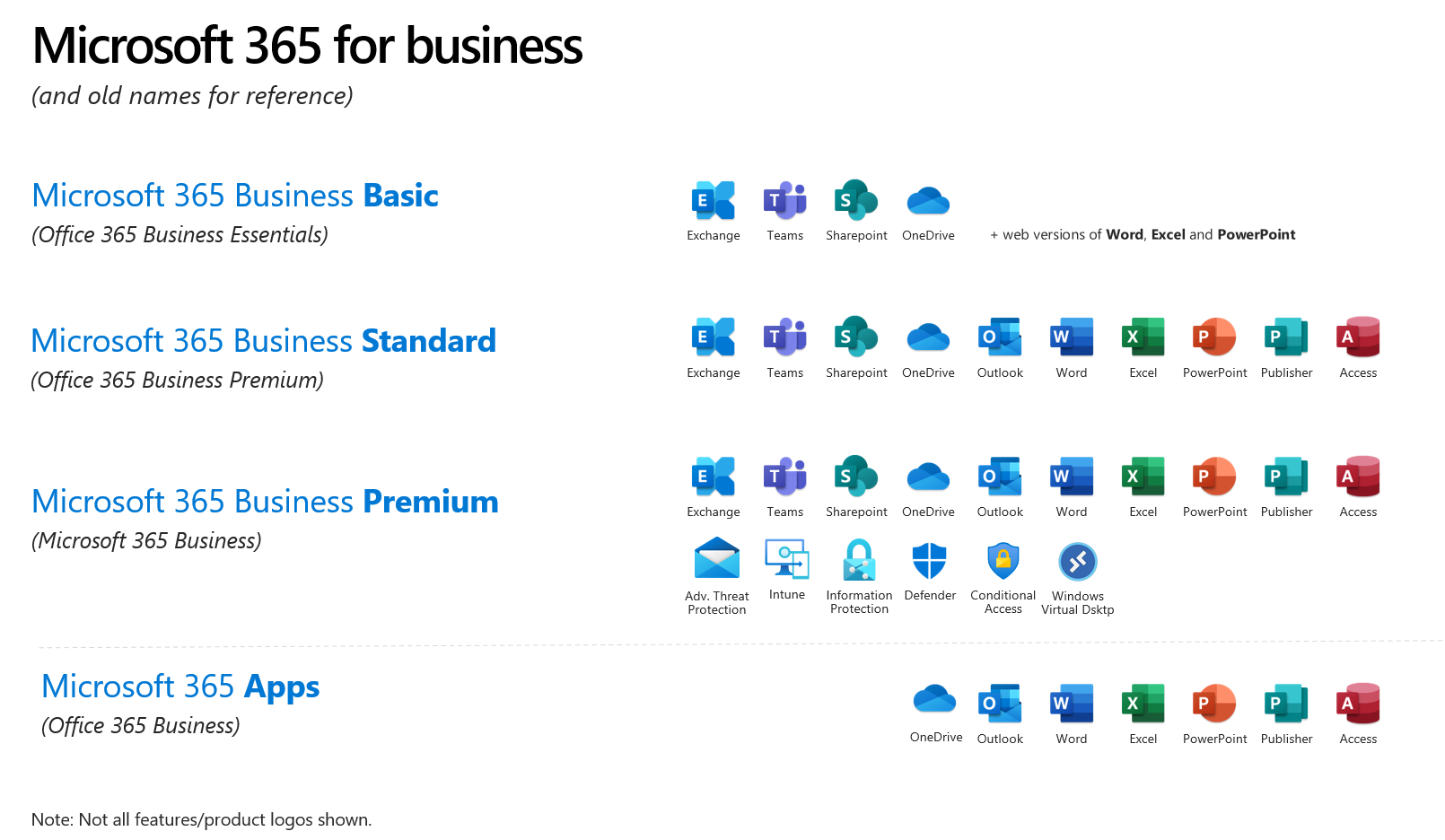

For years, Microsoft Office has been a staple in homes, businesses, and classrooms around the world. Many organizations still rely on Office LTSC (Long-Term Servicing Channel) or other on-premises versions of Office for their productivity needs. These versions offer stability and familiarity—but in a world that’s moving faster than ever, is that enough?
Let’s explore the journey from traditional Office to Microsoft 365, and why making the switch isn’t just a tech upgrade—it’s a strategic move toward a more agile, secure, and connected future.
Office LTSC: Reliable, But Static
Office LTSC is designed for organizations that need a fixed feature set and long-term support. It’s a one-time purchase, installed on a specific device, and doesn’t receive new features after release—only security updates.
While this model works for some, it comes with limitations:
- No access to the latest productivity features
- No cloud integration or collaboration tools
- No AI-powered enhancements like Microsoft Copilot
- Higher upfront costs and limited flexibility
In a world where remote work, real-time collaboration, and continuous innovation are the norm, LTSC can feel like a closed door in an open-plan office.
Enter Microsoft 365: The Power of SaaS
Microsoft 365 is more than just Office in the cloud—it’s a Software as a Service (SaaS) platform that evolves with your organization. It includes familiar apps like Word, Excel, and PowerPoint, but also:
- Teams for communication and collaboration
- OneDrive and SharePoint for secure cloud storage
- Exchange Online for enterprise-grade email
- Security and compliance tools built for modern threats
- AI-powered features like Microsoft Copilot to boost productivity
With Microsoft 365, you’re not buying software—you’re investing in a continuously improving ecosystem that adapts to your needs.
Why SaaS Makes Sense
The SaaS model offers clear advantages:
- Always up to date: No more waiting for the next version—new features roll out regularly.
- Scalable and flexible: Add or remove users as needed, with predictable monthly or annual billing.
- Work from anywhere: Access your tools and files securely from any device.
- Built-in security: Enterprise-grade protection without the overhead of managing it yourself.
It’s not just about convenience—it’s about staying competitive, secure, and ready for what’s next.
Making the Move: You’re Not Alone
Transitioning from Office LTSC to Microsoft 365 might feel like a big leap—but you don’t have to do it alone. Whether you’re a small business, a large enterprise, or an educational institution, there are Microsoft partners and licensing experts ready to guide you every step of the way.
P.S. Let’s Talk About Your Future
If you’ve been wondering whether Microsoft 365 is right for your organization, now is the perfect time to explore your options. Reach out to us today at info@sogura.co.za, and let’s have a conversation—not a sales pitch. We’ll help you understand the value, the licensing, and the roadmap that makes sense for you. Because the future of productivity isn’t just in the cloud—it’s in the choices you make today.
MR LV GURA
MD – SOGURA (Pty) Ltd
